Evaluation
Interview Evaluations
Interview evaluations let the AI analyse completed interviews and score candidates against your criteria. This guide covers both setting up evaluation criteria and reviewing the results.
How Interview Evaluation Works
After a candidate completes their phone interview, you can run an evaluation. The AI reviews the full transcript against your defined criteria and produces:
- Overall Score (1-100): A single number summarising the candidate's performance
- Summary: A written assessment of strengths and weaknesses
- Criterion Scores: Individual scores for each evaluation criterion you've defined
- Knockout Flags: Whether the candidate failed any knockout questions
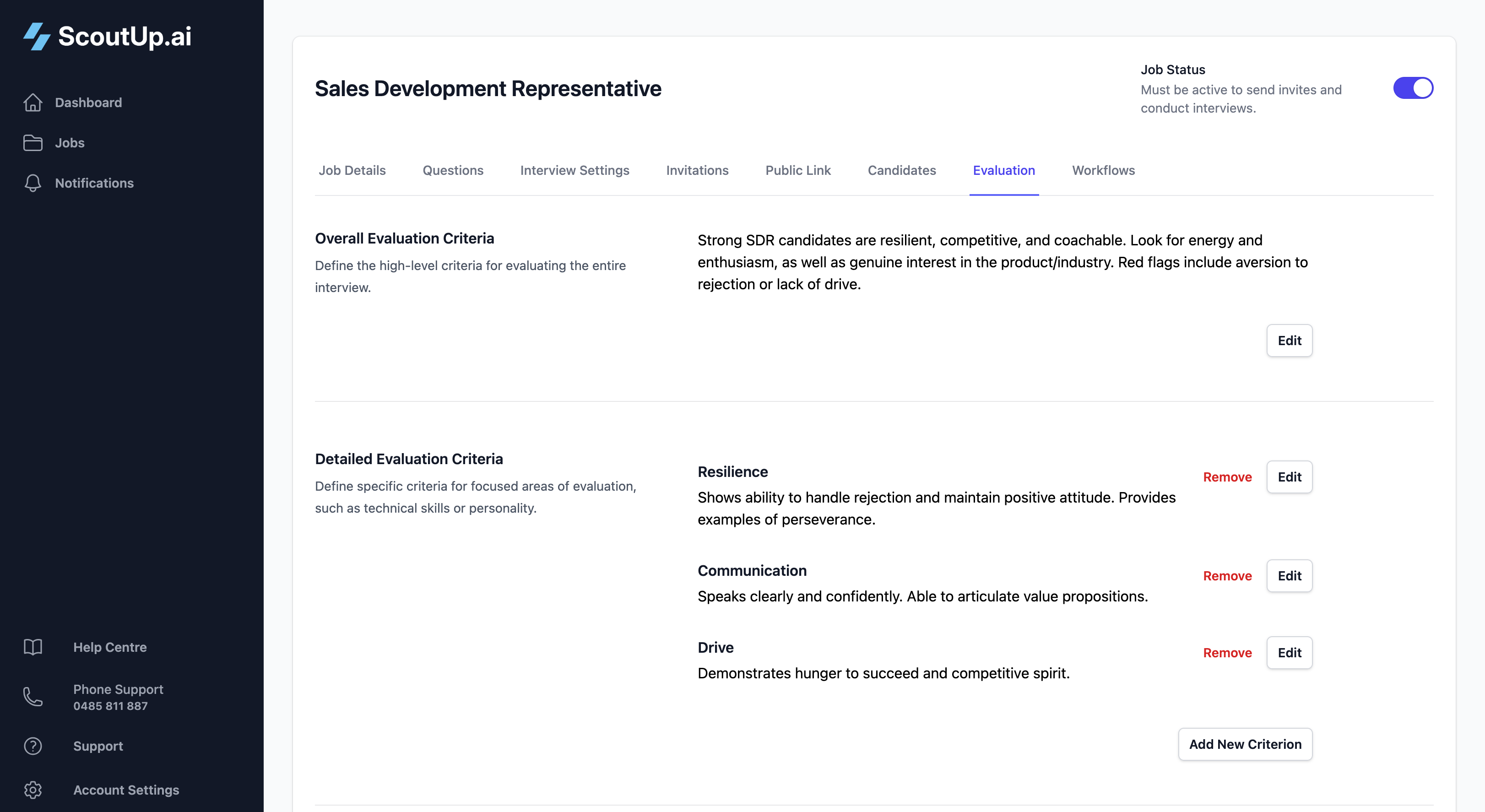
Part 1: Setting Up Evaluation Criteria
Overall Evaluation Criteria
This is your general guidance for how the AI should assess candidates. Describe what a strong candidate looks like for this role. Include:
- Key skills and experience to look for
- Communication style expectations
- Red flags to watch for
- Must-haves vs nice-to-haves
Example for a Customer Service role:
"A strong candidate demonstrates empathy, patience, and clear communication. They should have experience handling difficult situations and show genuine interest in helping customers. Look for specific examples of problem-solving and conflict resolution. Red flags include blaming customers, showing frustration easily, or being unable to provide concrete examples of past experience."
Detailed Evaluation Criteria
Add specific criteria to break down the evaluation into focused areas. Each criterion has a name and description.
Example Criteria:
| Criterion Name | Description |
|---|---|
| Communication Skills | Clear, articulate responses. Answers questions directly without rambling. Professional language and tone. |
| Relevant Experience | Has direct experience in similar roles. Can provide specific examples. Demonstrates growth and learning. |
| Problem Solving | Shows logical thinking when describing past challenges. Considers multiple solutions. Explains their decision-making process. |
| Culture Fit | Values align with company mission. Shows enthusiasm for the role. Works well in team environments. |
Question-Level Criteria
In addition to overall criteria, you can add specific evaluation criteria to individual questions. See Interview Questions for details on setting these up.
Part 2: Running Evaluations
Evaluate Individual Candidates
From the Candidates tab, find a candidate with a completed interview and click Evaluate from their dropdown menu.
Bulk Evaluation
To evaluate multiple candidates at once:
- Select candidates using the checkboxes
- Click the Evaluate button that appears
- Choose which evaluations to run (interview evaluations and/or document evaluations)
- Click Run Selected Evaluations
Automatic Evaluation
Use Workflows to automatically trigger evaluations when interviews complete. This is the most efficient approach for high-volume hiring.
Part 3: Reviewing Evaluation Results
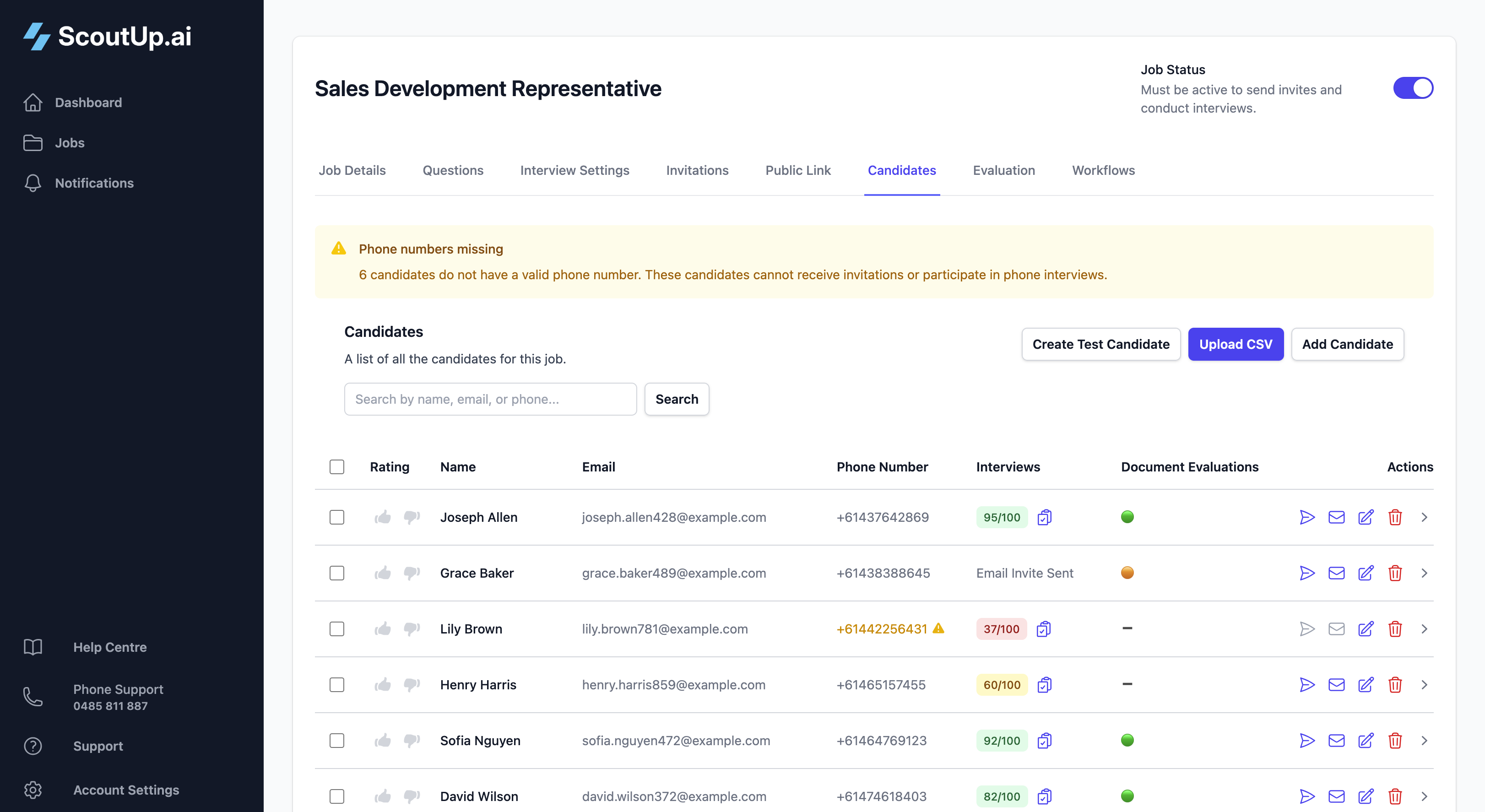
Candidate List View
The Candidates tab shows evaluation status at a glance:
- Score badge: The overall score (1-100) with colour coding
- Knockout indicator: A warning if the candidate was knocked out
- Status: Whether the interview is completed and evaluated
Individual Evaluation View
Click on a candidate to see their full evaluation details. This view includes:
Interview Transcript
The complete conversation between the AI and the candidate. Each turn shows who spoke and what was said. You can also listen to the audio recording.
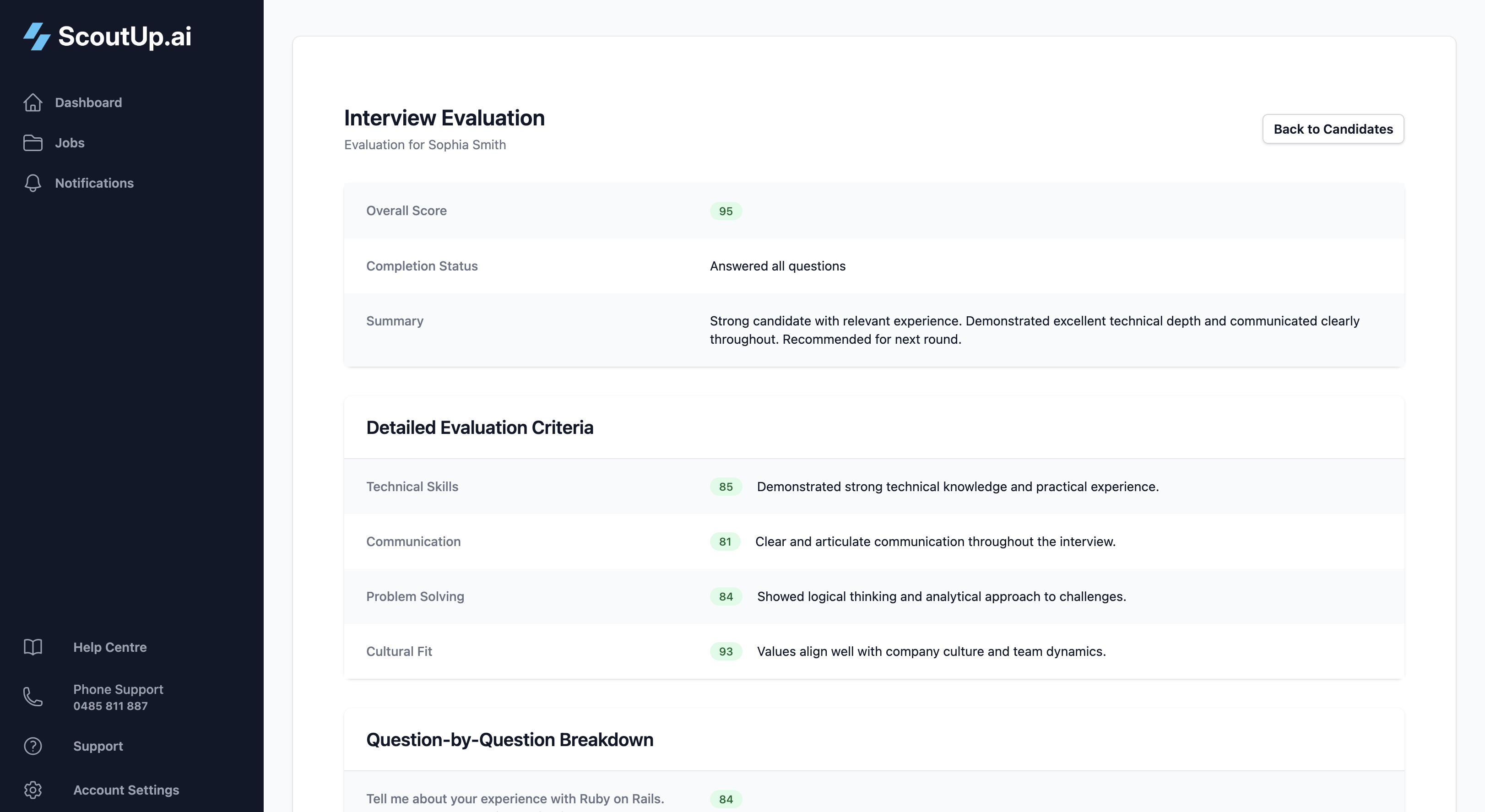
Evaluation Summary
The AI's written assessment of the candidate, including strengths, weaknesses, and overall impression.
Criterion Scores
Individual scores for each evaluation criterion you defined, along with the AI's reasoning for each score.
Knockout Status
If the candidate answered a knockout question incorrectly, you'll see a clear indicator with the specific question and their answer.
Using Scores to Make Decisions
While scores are helpful for ranking candidates, remember they're a guide, not an absolute measure. We recommend:
- Review transcripts for high-scoring candidates before progressing them
- Check knocked-out candidates in case of edge cases or misunderstandings
- Use workflows to automate obvious decisions (very high or very low scores)
- Focus your manual review time on candidates in the middle range
Tips for Effective Evaluation
- Be specific in your criteria: Vague criteria lead to inconsistent scores
- Calibrate with test candidates: Run evaluations on test interviews to see how your criteria perform
- Iterate: If scores don't align with your judgment, refine your criteria and re-evaluate
- Use multiple criteria: Breaking down evaluation into specific areas gives you more actionable insights