Job Setup
Interview Questions
The Questions tab is where you design your interview. Define what the AI asks, how deeply it probes for answers, and set up question-level evaluation criteria.
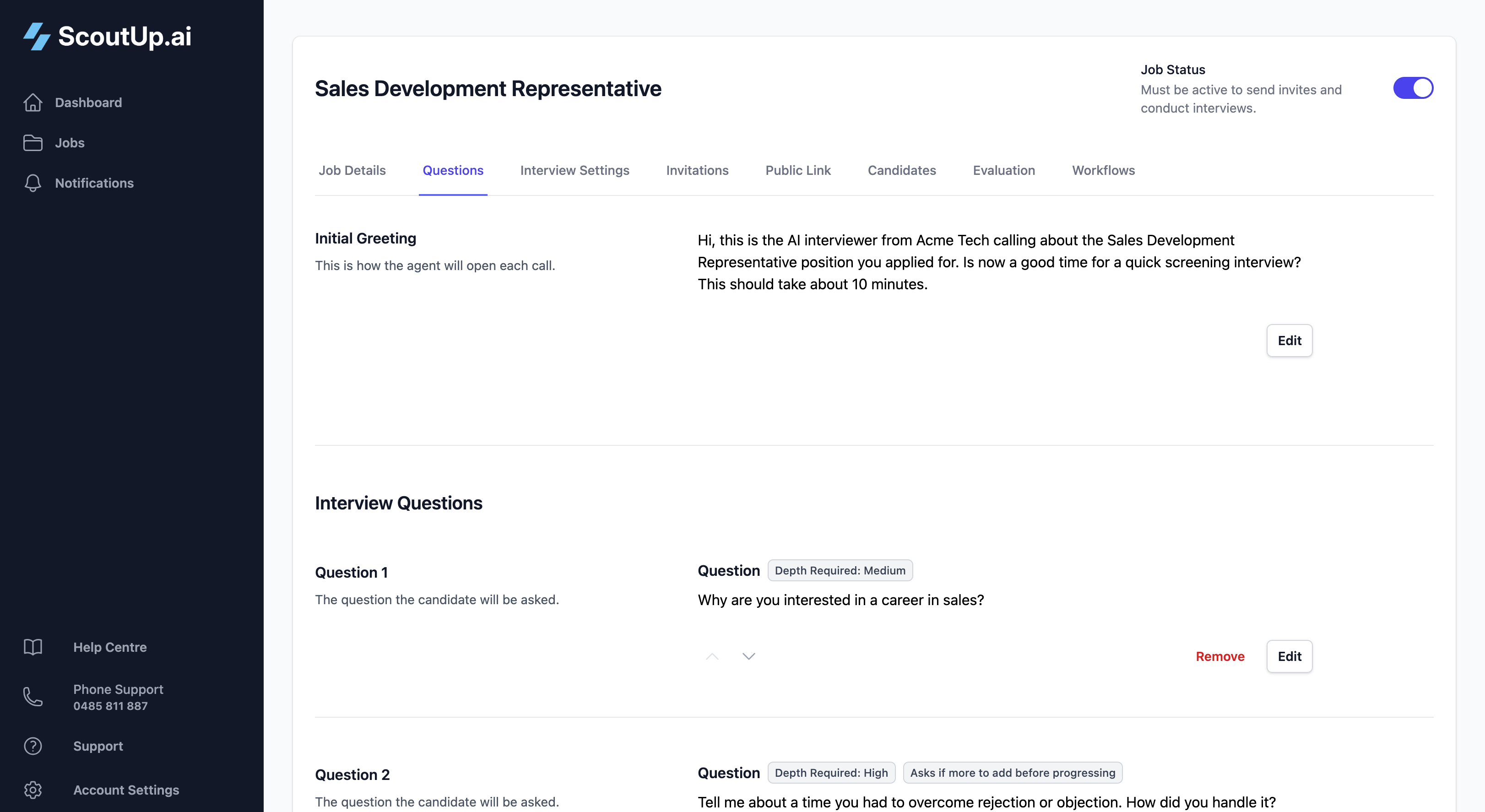
Initial Greeting
This is how the AI opens the call. A good greeting should:
- Introduce who's calling and why
- Confirm it's a good time to talk
- Set expectations for how long the interview will take
Example:
"Hi, this is the AI interviewer from Acme Inc calling about the Software Developer position you applied for. Is now a good time for a quick screening interview? It should take about 10 minutes."
Adding Interview Questions
Click Add Question to create a new question. Each question has several settings that control how the AI handles it.
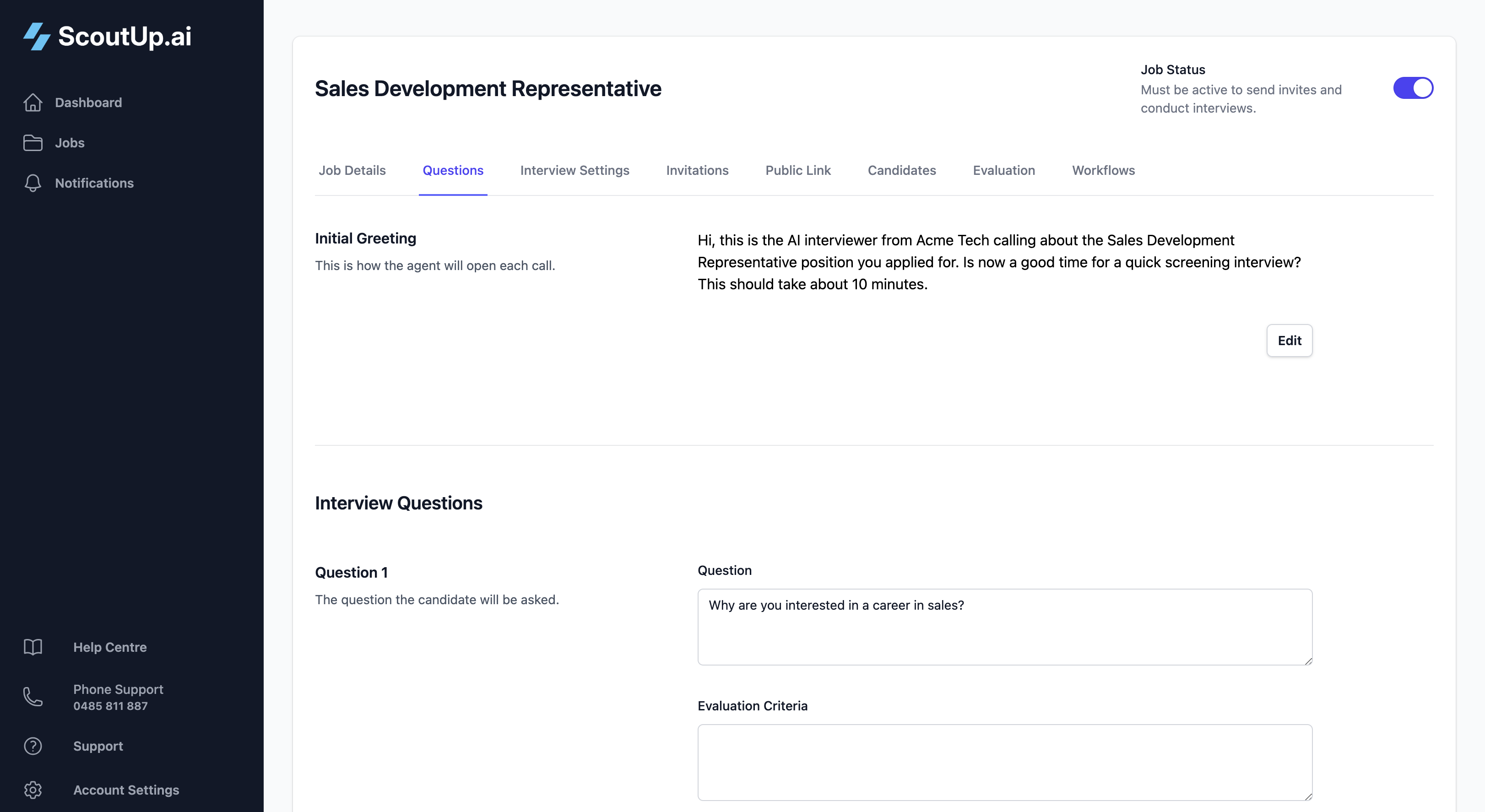
Question Text
Write the question exactly as you'd say it in a natural conversation. The AI will ask this verbatim, so make sure it flows well when spoken aloud.
Answer Depth
Controls how much the AI probes for detailed responses:
| Depth | Behaviour | Best For |
|---|---|---|
| Low | Accepts brief answers and moves on quickly | Yes/no questions, simple factual questions |
| Medium | May ask one follow-up if the answer is very short | Most screening questions |
| High | Encourages detailed responses and asks follow-ups for more context | Behavioural questions, experience deep-dives |
Ask If More Before Progressing
When enabled, after the candidate answers, the AI asks "Is there anything else you'd like to add?" before moving to the next question. This is useful for open-ended questions where candidates might have more to share.
Knockout Question
Mark a question as a knockout if a wrong answer should flag the candidate. Common examples:
- "Do you have the right to work in Australia?"
- "Are you available to start within the next 4 weeks?"
- "Do you have a valid driver's licence?"
When a candidate fails a knockout question, they're flagged in the evaluation. You can then use workflows to automatically handle knocked-out candidates.
Important: Knockout questions require evaluation criteria to determine what constitutes a "fail". Make sure to add evaluation criteria for any knockout question.
Question-Level Evaluation Criteria
Each question can have its own evaluation criteria. This tells the AI exactly what to look for when scoring the candidate's answer to that specific question.
Be specific about what a good, average, and poor answer looks like. For example:
Question: "Tell me about a time you had to deal with a difficult customer."
Evaluation Criteria:
"Strong answers include a specific example with clear context, the actions they took, and the outcome. Look for empathy, problem-solving, and composure under pressure. Weak answers are vague, blame the customer, or show no resolution strategy."
Question-level criteria work alongside your overall evaluation criteria to give the AI comprehensive guidance when scoring.
Reordering Questions
Use the up and down arrows on each question to change the order. The AI asks questions in the sequence shown, from top to bottom.
Tip: Start with easier, rapport-building questions before diving into more challenging technical or behavioural questions.
End of Interview Message
This is what the AI says after all questions have been answered. Use it to:
- Thank the candidate for their time
- Set expectations for next steps
- Leave a positive final impression
Example:
"Thanks so much for your time today. We'll review your responses and be in touch within the next week if you're progressing to the next stage. Have a great day!"
Tips for Great Interview Questions
- Keep it conversational: Write questions as you'd naturally speak them
- Be specific: "Tell me about your experience with Python" is better than "Tell me about your technical skills"
- Use behavioural questions: "Tell me about a time when..." elicits concrete examples
- Test it yourself: Create a test candidate and go through the interview to hear how it sounds
- 5-8 questions: Most screening interviews work well with 5-8 questions, taking 10-15 minutes total